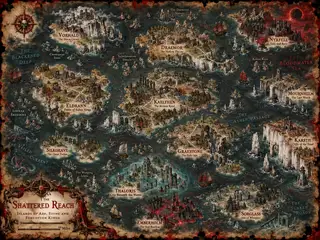
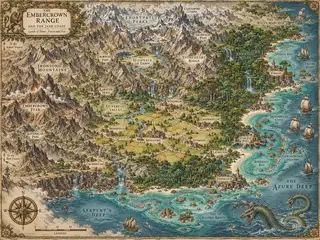
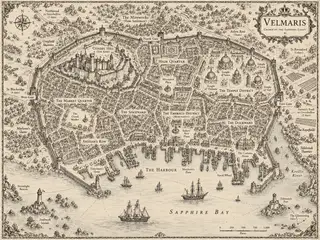
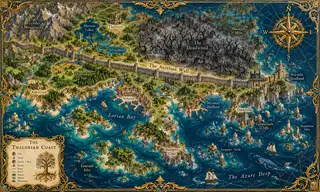
What is a fantasy map generator?
A fantasy map generator is a tool that automatically creates fictional maps, including continents, islands, oceans, mountains, rivers and cities, using procedural algorithms instead of manual drawing. Instead of spending hours sketching coastlines, you press one button and receive a complete, coherent world: rivers that flow downhill from mountain springs to the sea, forests that grow where rainfall would fall, and towns that rise where people would actually settle, on coasts and along rivers.
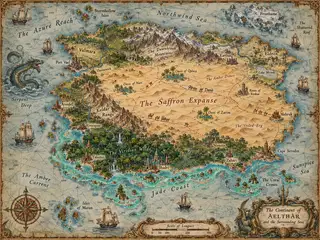
Our generator goes one step further than most. It renders every map in a hand-inked cartographic style, complete with a title banner, compass rose, scale bar, and authentic fantasy names for kingdoms, cities and seas. The result looks like a map torn from the first pages of a fantasy novel, and it takes about five seconds. People also call tools like this a fantasy map maker ormap creator. The goal is the same: a believable world, drawn for you, in seconds.
There are three broad ways to get a fantasy map. You can draw one by hand or in a painting tool like Inkarnate, which gives you total control and takes hours. You can ask an AI image model, which is fast but hands you a flat picture with no data underneath, so you cannot rename a city or rebuild the same world twice. Or you can use a procedural generator like this one, where the map is built from rules (water flows downhill, towns sit on coasts) and every label is a real object you can edit. We wrote up the trade-offs in AI vs procedural map generators and in our comparison of the main tools, including where ours loses.
Choosing a map type and style
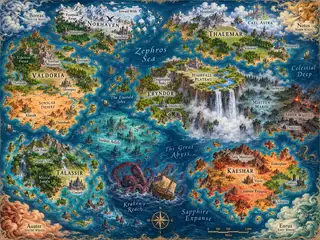
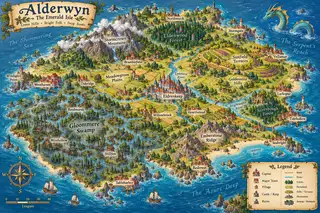
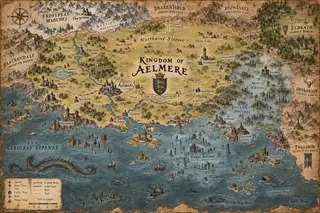
The map type sets the scale of the story. World lets the terrain noise run free across the whole canvas, so you get several continents, inland seas and scattered archipelagos: the right choice for a novel's front-matter map or a campaign setting that spans an age. Continentwraps one landmass in ocean on every side, which is the scale a single campaign or a trilogy actually uses. Island is a lone landmass with a few islets, made for one-shots, pirate stories and anything where the edges of the world need to be visible. Archipelago shatters the same seed into a chain of islands with channels between them, which is a sea chart rather than a land map.
The art style only changes how the same map is drawn, never the geography, so pick the shape first and the look second. Parchment is the aged treasure-map look. Atlas is the clean printed reference with cool blues and clear labels. Ink is monochrome linework that prints cleanly in black and white, which matters for paperback interiors. Watercolor is a soft painted wash. Verdant is the storybook style, with filled green forests, red-roofed towns, dashed roads and a ship or two offshore. The density sliders for rivers, mountains and forests work in every style.
How to create a fantasy map in five seconds
Making a fantasy map here takes three steps. First, choose a map type: a wholefantasy world map, a single continent, anisland or an archipelago. Then pick one of five art styles, from aged parchment to the colorful storybook look of Verdant. Second, press Generate New Map, and the engine raises mountain ranges, carves rivers to the sea, grows forests and founds cities with authentic names. Third, make it yours: rename anything, restyle labels, drag them into place, add your own castles and towns. Then download a crisp PNG, JPG, WebP or SVG. There is no signup, no watermark and no cost.
Who uses fantasy map generators?
- Dungeon Masters and TTRPG players. Need a world map for tonight's session? Generate a continent, name its kingdoms, and your party has somewhere to get gloriously lost. It works well with Roll20, Foundry and other virtual tabletops.
- Fantasy authors. Readers expect a map in the front of every epic. Draft your world's geography here, then hand it to an illustrator, or keep the parchment look, which already reads like a book map.
- Indie game developers. Prototype overworld maps, placeholder geography and world structure without hiring an artist on day one.
- Worldbuilding hobbyists. If you keep a wiki of imaginary empires, this is the fastest way to give them a homeland.
- Teachers and students. Creative writing prompts, geography lessons and storytelling projects all go better with a real map.
What makes a good fantasy map?
Cartographers agree on a few principles, and our engine follows them all. Rivers never flow uphill and almost always reach the sea. Mountain ranges cluster in ridges rather than scattering randomly. Forests need moisture. Towns appear on coasts and riverbanks where trade would flourish. Names follow consistent linguistic patterns. None of this is random decoration. It is geography with internal logic, which is what makes a world feel real to players and readers.
Rivers are the feature that gives a fantasy map away fastest, because everyone has watched water run downhill and notices when it does not. Our engine traces each river from high ground along the steepest descent until it reaches the sea, and a river that gets trapped in a basin ends in a lake instead of climbing out. Cities follow the second rule readers feel without naming: they sit where a harbour, a river crossing or a fertile valley would put them. The guides on river mistakes, where cities belong andchoosing a scale go deeper if you want to judge a map, ours or anyone else's, with a cartographer's eye.
What you can do after generating
Generating is the start, not the end. Every name on the map is a live object: click a kingdom, sea, city or the title banner to rename it, choose from eleven display fonts, change its size, weight and color, or drag it somewhere better. From the Add menu you can stamp your own mountains, trees, castles and towns, or place free text anywhere: the name of the inn where the party met, the ruin where the book's second act happens. Every edit sits in an undo history, so you can experiment without fear.
The Advanced panel hides or shows the frame, title, compass rose, scale bar and labels independently, which is how you make a blank player map and a labelled DM map from one seed. The share link carries the seed and every setting, so a friend who opens it sees your exact world. When you are done, download a PNG, JPG or WebP at up to 4× resolution for print and VTTs, or the SVG to keep editing in Inkscape or Illustrator with the fonts embedded. All of it is included in your download: the renamed kingdoms, the castle you added, the label you moved.
Why free really means free here
Most "free" map tools are funnels: free until you want to download, free with a watermark, free for three maps then a subscription. We took a different path. The entire generator runs inside your browser on your own device. We have no server costs per map, no image rendering farm, no accounts database. That is why we can give every map away: unlimited generations, unlimited downloads, PNG and SVG, no watermark, no signup. The maps you make are yours, commercially and personally, forever.
Ready to chart your world? Scroll up, press Generate New Map, and watch a realm appear. If you need something more specific, try our D&D map generator, the island map generator or theworld map generator.